
AS 2870 site details
Record the site information and soil strength the classification relies on, next to the hole they came from.
Borehole logging for AS 2870
Record strata, DCP readings and samples as you drill. Print a client-ready vector PDF log before you leave site. Built for Australian drillers and geotechs.
Made for the people who actually drill the holes.
The problem
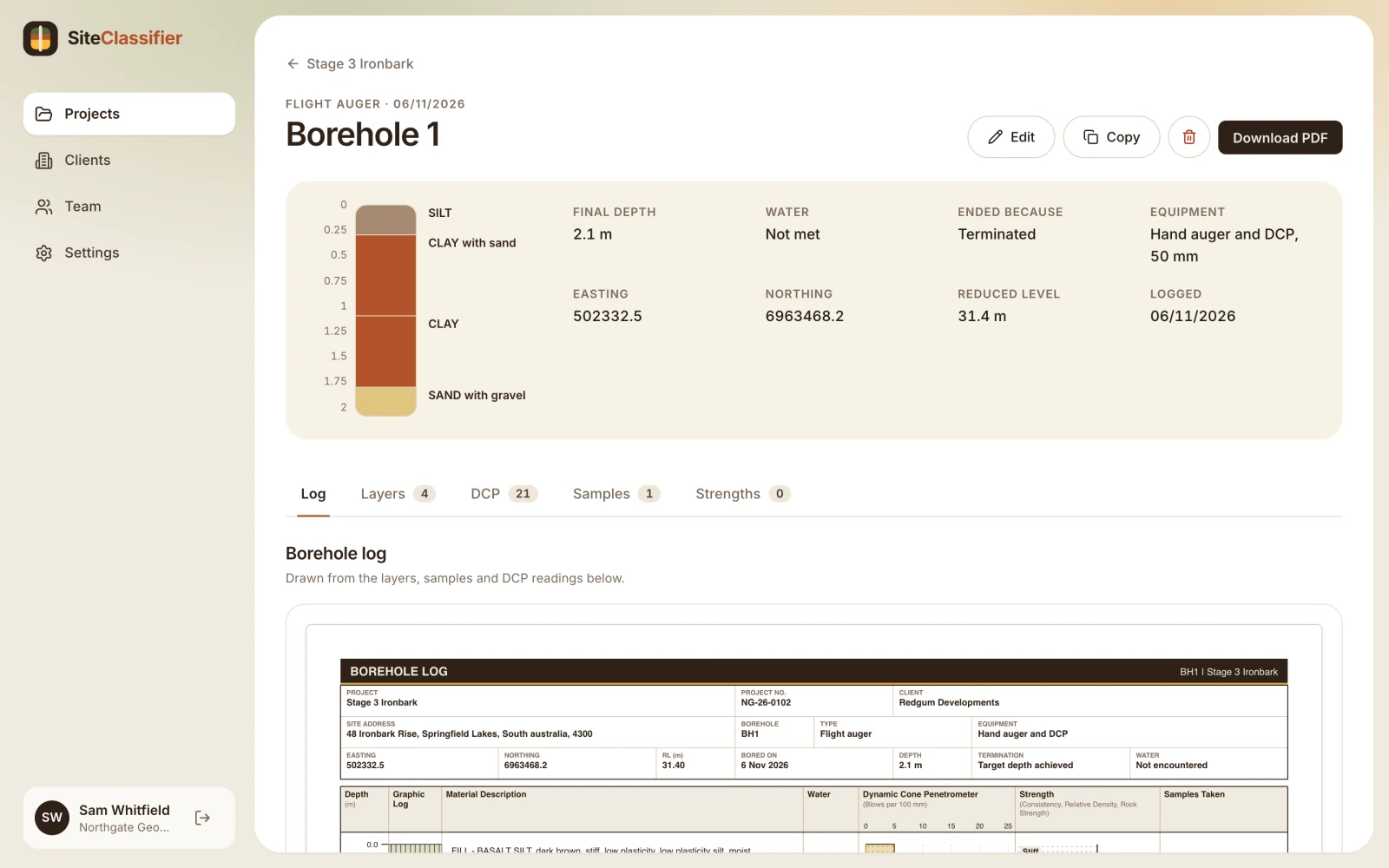
Most logs start as a clipboard and end as a late-night spreadsheet. Every retype is a chance to get a depth wrong. Enter it once, where you drill it.
Strata, samples and DCP go in once. The log draws itself from them.
How it works
From the first auger flight to the finished log, the same data carries through.
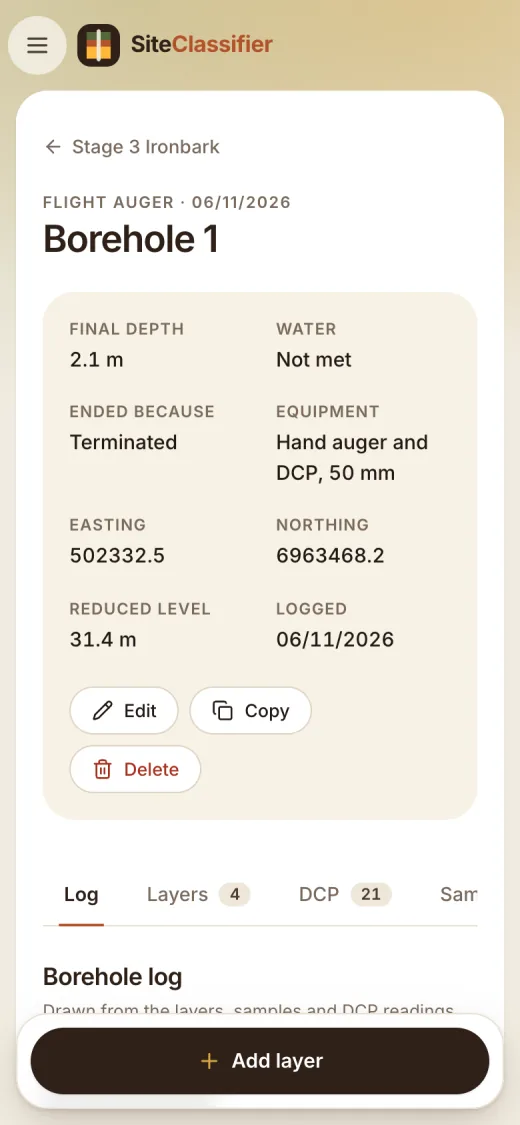
Add each layer, sample and DCP reading as you go. Big buttons, built for one hand.
Every hole saves to your organisation. The office sees it as soon as it saves, with no emailing of files.
Offline sync: coming soonDownload the vector PDF log, or export for gINT. Each hole prints as its own log.
AGS4: coming soonProjects and teams
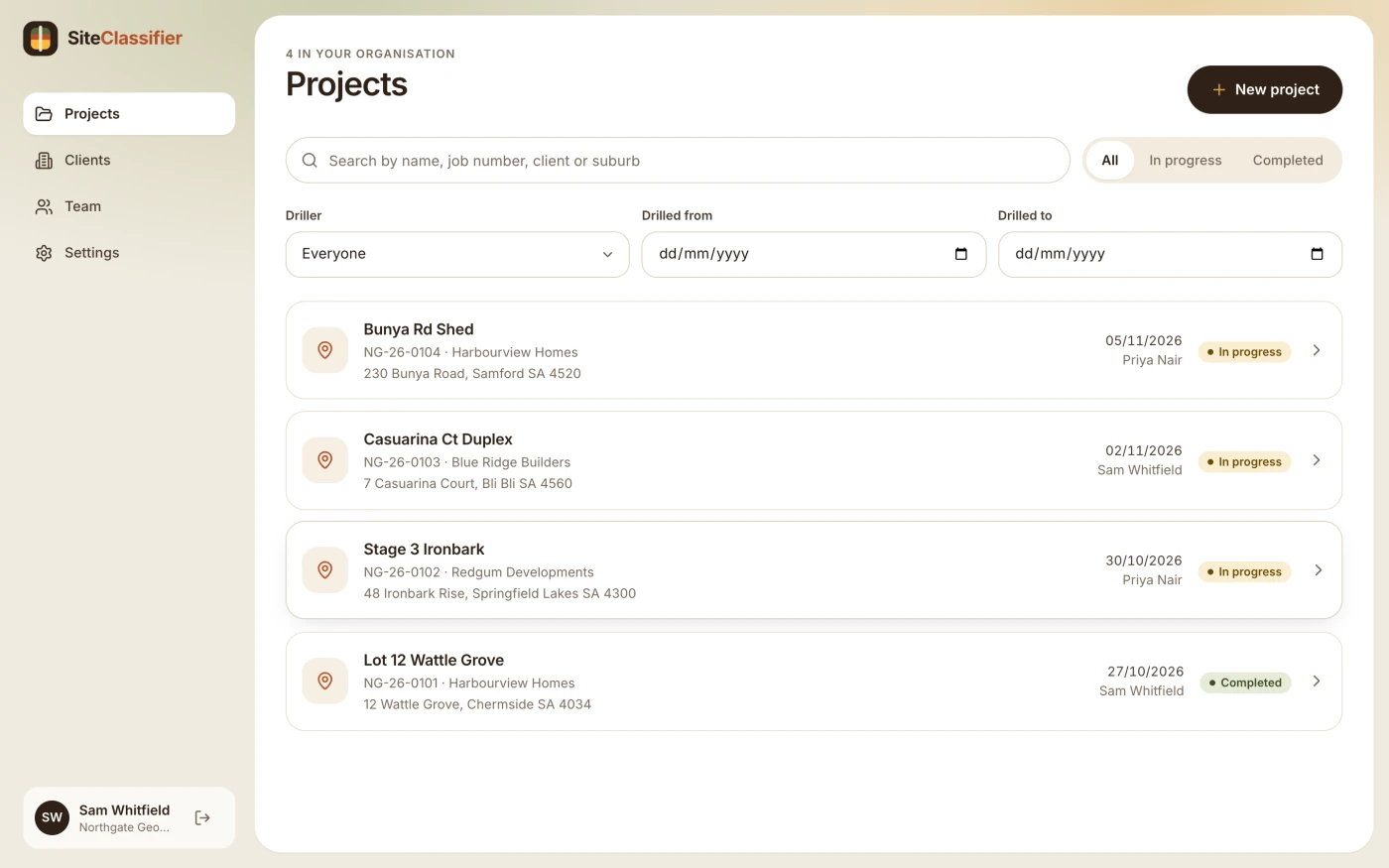
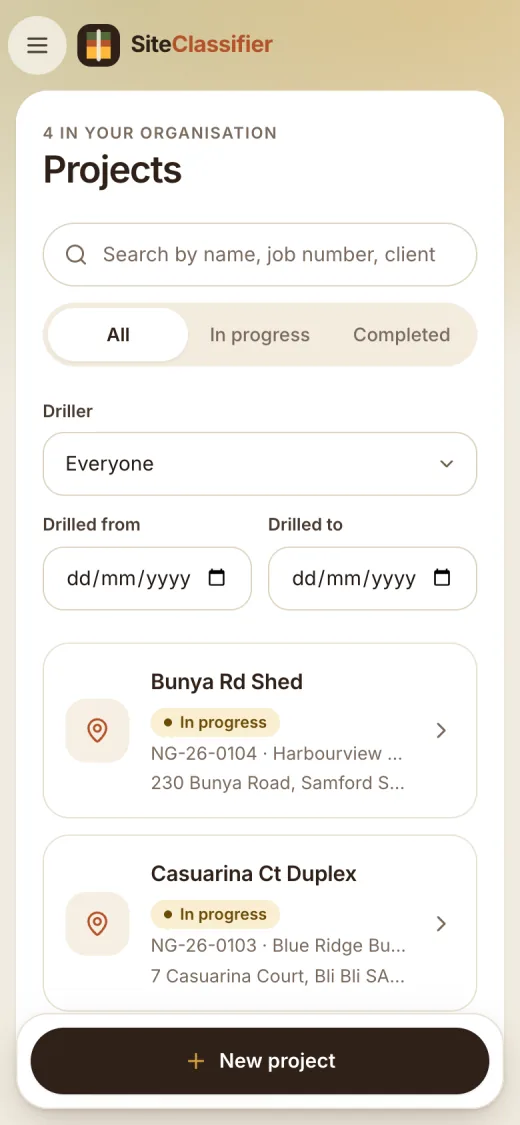
Projects hold the client, the site and every hole. Search by name, job number, client or suburb. Filter by driller and date.
What is in it
Some of this is ready now. Some is being built right now. We mark which is which.
Record the site information and soil strength the classification relies on, next to the hole they came from.
Enter blows per 100 mm as you push down. Mark refusal and restarts. The chart prints on the log.
Build the profile layer by layer with standard descriptors for colour, moisture, plasticity and consistency.
Log each sample by depth and type, with a note on what to test. They show on the log beside the profile.
Log standard penetration and cone penetration tests against the hole.
Coming soonA phone app that keeps working when the signal drops, and syncs when you are back in range.
Coming soonOne click to a sharp, client-ready log. Vector lines stay clean at any zoom and on any printer.
Invite your drillers and office staff. Everyone works from the same list of projects.
Each project, client and hole belongs to one organisation. Other organisations cannot see it.
On the phone
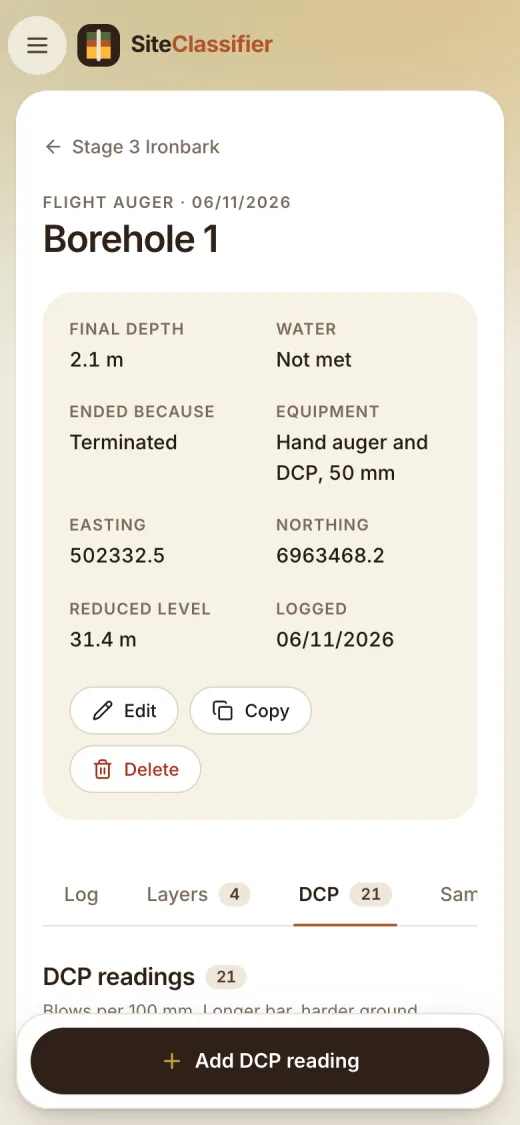
The web app is built for a phone screen: large targets, one column, and the add button always in reach. Open it in your browser today.
Coming soon A dedicated phone app that works with no signal and syncs when you are back in range.
Exports
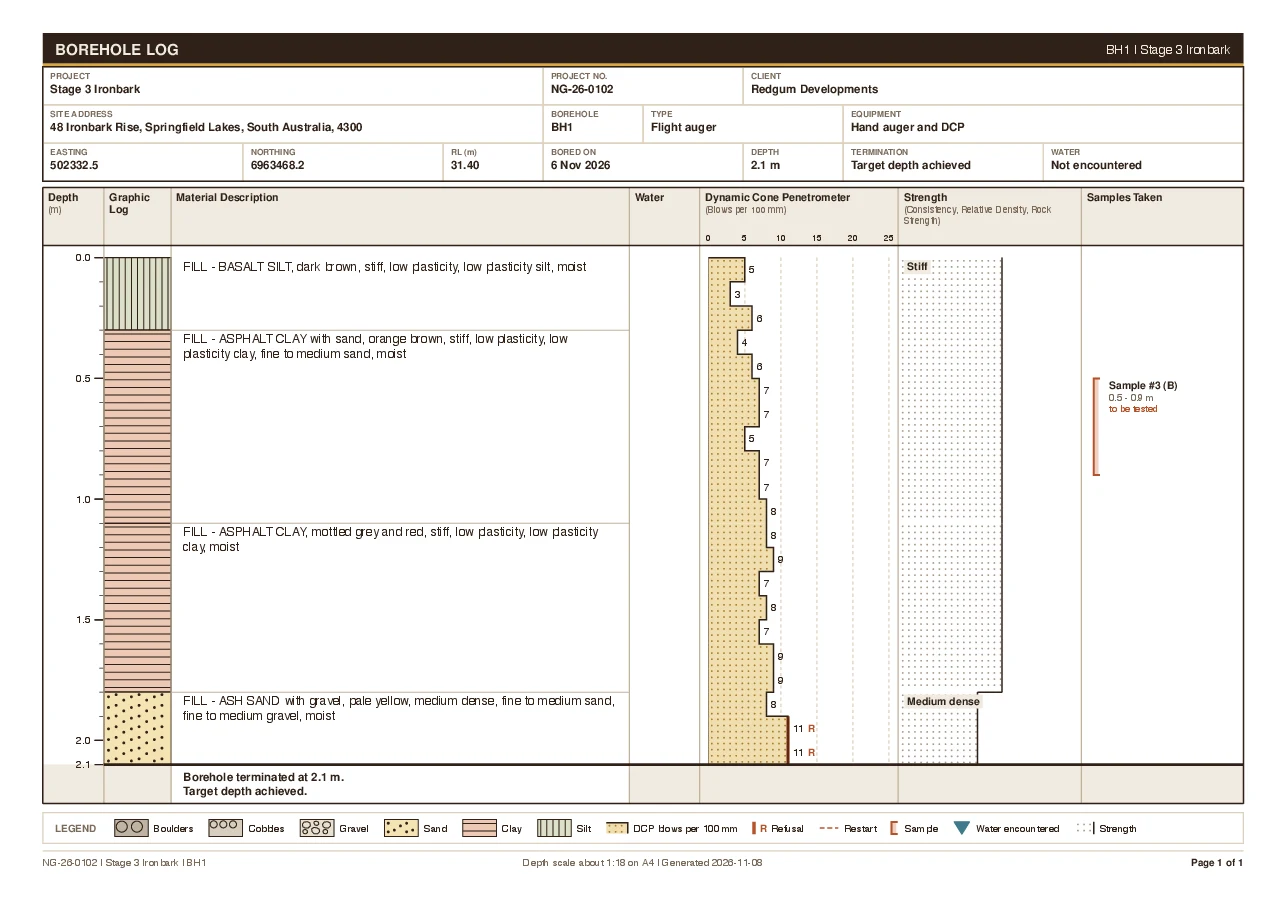
The PDF is drawn as vector lines, not a screenshot. It stays sharp on screen, on A4 and on the site office printer.
Header, profile, DCP, strength and samples on one sheet, with a legend.
Take the data into gINT for the rest of your reporting.
The industry data interchange format. Being built now.
Drillers and geotechs who log boreholes for site classification and geotechnical investigations in Australia. If you drill a hole and someone needs a log, it is for you.
No. It records what you find and prints it clearly. The soil classification and the site classification stay with the responsible engineer.
No. The web app runs in any current browser on a laptop, tablet or phone. The phone app is a separate project and is not ready yet.
Not yet. The web app needs a connection to save. The offline phone app is being built so you can log with no signal and sync later.
A vector PDF log for each hole, and a gINT export. AGS4 export is being built and is not available yet.
We have not published prices. Start free and try it on a real hole, or talk to us.
People in your organisation. Each project, client and hole belongs to one organisation, and other organisations cannot see it. Read the privacy page for more.
Talk to us. Use the link in the footer or the button below and we will reply.
Make an account, add a project and log a hole. It takes a few minutes.